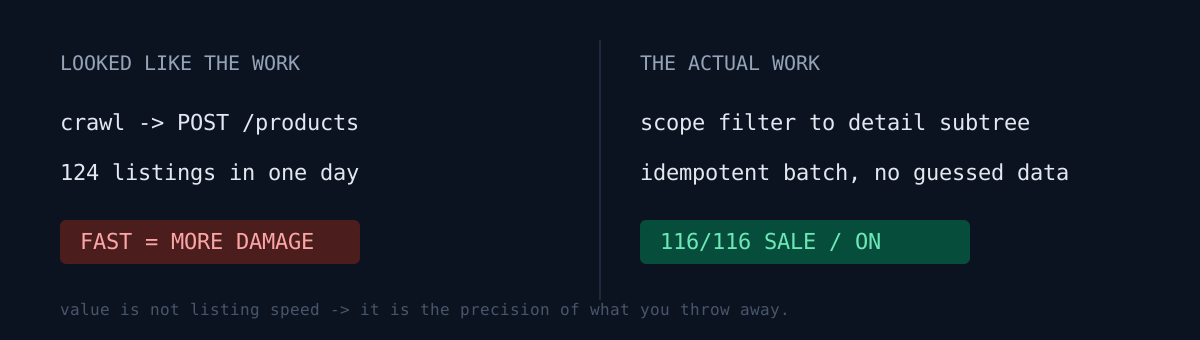
I opened a Naver SmartStore with no inventory and no ad budget. The goal wasn't revenue — it was a cheap structure for testing whether anything sells at all. Crawl a dropshipping wholesaler's catalog, score candidates, build listing data from rules, create products over the API, then verify they're actually live. In a day, 124 products were SALE / ON.
The listing API was not where the time went.
One question. What happens when your automation processes bad input 100× faster? For product listing automation, the answer isn't "it goes faster" — it's "the damage gets bigger."
The pipeline
Two stages.
- Candidate crawler — parse supplier detail pages, follow related-product links to expand. Extract name, wholesale price, shipping fee, return fee, options, images, review count; detect risk words; infer category; score; dump to JSON.
- Bulk lister — load candidate JSON, exclude already-listed items, apply the risk filter, re-classify categories, generate titles, compute bundle quantity and retail price, build options and the legally-required disclosure fields, upload the main image, call the create-product API, persist results, verify
SALE / ON.
1,200 pages parsed produced 62 candidates under conservative conditions, and 100+ once items lacking detail images but safe otherwise were backfilled with text descriptions.
I listed the first 8 semi-manually to validate the flow before scaling. Throwing 100 at it first would have made every failure ambiguous: bad product, or bad payload?
The filter was the product
Before anything, I split what may be automated from what may not.
Safe to automate: candidate collection, price math, image upload, title/option/stock fields, post-listing status checks.
Not safe to automate: guessing country of origin, manufacturer, safety certification, or after-sales contact. If the supplier data didn't have it, I didn't invent it — and if it was ambiguous, I dropped the product. Invented compliance fields come back to you later, precisely, as a customer inquiry or a policy strike.
Whole categories were excluded in code: electrical/battery, food/health, cosmetics, kids' items, character/IP, brand-compatible claims, chemical repellents, high-return apparel. That's not a filter for picking winners — it's a filter for lowering the odds of an incident.
Gotcha 1 — the risk filter was reading the global nav
My first version searched the whole page text for risk words. Perfectly ordinary household goods kept getting rejected.
The culprit was the supplier site's global navigation menu. The top category bar always contains food, medical, cosmetics — so every page contained every banned word. Not a filter, an exterminator.
The fix is boring: scope the search to the product detail subtree. When you string-match inside a crawler, decide the scope before you decide the strings.
Gotcha 2 — quiet category misclassification
I inferred marketplace categories from title keywords (laundry net → laundry nets, door guard / molding → car molding). Mostly right, quietly wrong sometimes: a soap dish landing in hooks, a business-card holder landing in generic storage.
A wrong category breaks two things at once: search exposure, and the mandatory disclosure/certification fields that vary by category. So I added a re-classification pass right before listing, on top of the inference.
Gotcha 3 — a format failure is not a product failure
Mid-batch, the API returned:
Model name must be under 50 characters.
Item name must be under 50 characters.
Truncating modelName and the disclosure block's itemName to 50 chars and retrying only the failures fixed it. Trivial patch, but the rule it produced matters more: record failures as either "product failure" or "format failure." Treat a format failure as a rejected product and you permanently discard good inventory because of your own bug.
Gotcha 4 — the ghost product
I stopped a bulk run midway once. One item ended up in a state where the create POST had succeeded but the result file hadn't been written yet. Not listed as far as the script knew; already existing as far as the platform knew.
What would you do? Re-run and you double-list; drop it from candidates and you lose a good product. I queried the channel-product ID range, confirmed creation by seller product code, and patched the result JSON by hand.
The operating rule that came out of it:
Write the success record immediately after the API call. Then make the next run dedupe against that record (plus the seller product code).
Without idempotency, a stopped batch is just data corruption with extra steps.
Saved is not listed
The lister's final step isn't an HTTP 200 — it's a read-back confirming sale status SALE and display status ON. Saved in the seller console doesn't mean a customer can buy it. I've hit the same "done isn't published" gap in other pipelines.
Final: 116 candidates passed the rules → 116 created → 116 verified SALE / ON over the API. With the first 8, that's 124 live.
Midway I changed one rule. I'd targeted 50 listings. But a target quantity is a floor, and discarding candidates that passed the rules just to hit a round number contradicts the rules themselves. So all 116 went up.
Three self-checks
If you run a pipeline that ingests external data and auto-creates records:
- Does your string filter look at the content region only, or the whole page including nav and footer?
- If the batch dies mid-run, can you prove the next run won't re-create what it already created?
- Is any rule or model filling in values the source doesn't have? (For things like origin or certification, a guess is the risk.)
The honest part
This isn't a success story. 124 live listings means sellable, not selling. Revenue is zero; impression, click, and wishlist data is only now starting to accumulate. Turning on ads before those signals exist means paying money for bad data — and I've already lived through lots of impressions with zero revenue elsewhere in the portfolio.
The one thing I can state confidently: the value of bulk listing automation isn't listing speed, it's the precision of the rules that throw things away.
Everything after the first order is the real operation — that continues in swapping browser-session automation for the official commerce API.
Scraping an external source to auto-generate something? Check one thing today: whether your pipeline is safe to kill halfway through.