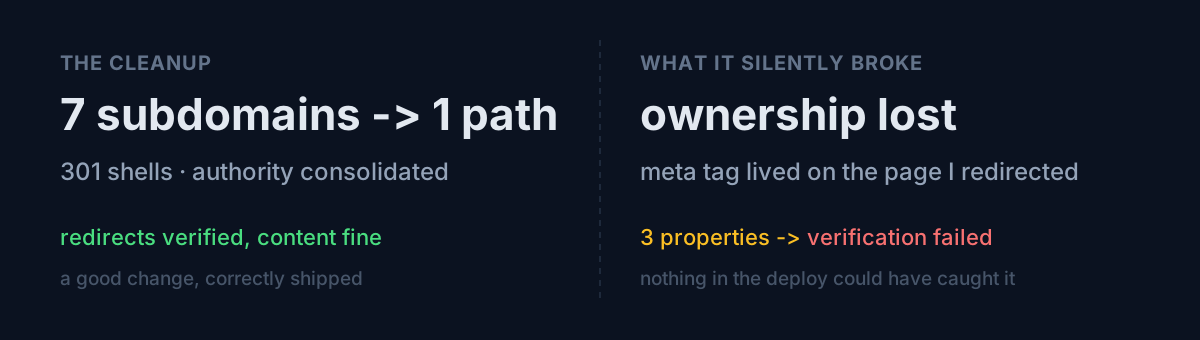
Seven static content sites were scattered across subdomains. To pool search authority on one domain I moved them all to example.com/<name>/ subfolders and left plain 301 redirects on the old subdomains.
The deploy was clean. All seven subdomains redirected to the correct destination, and I verified file by file that links, canonicals and sitemaps had been rewritten to the new paths.
A few days later I opened Search Console:
Ownership verification failed
Verification method: HTML tag
Reason: The verification meta tag could not be found.
A question for you: does your deploy verification cover the things your deploy didn't touch?
The cause was obvious in one second
Search Console's HTML-tag method reads a meta tag from the <head> of the site's root document. I had turned that root into a 301, so there was no document left to read.
mindshift.example.com/  →  301  →  example.com/mindshift/
                              ↑
                    the meta tag lived here
The redirect worked exactly as intended. What I hadn't accounted for is that the page had a second job. I saw it as content; Google saw it as proof of ownership.
Checking via the API, three properties were affected — still owner-level, but with verification failing. Left alone, they lapse.
First fix: exempt the verification file from the redirect
Luckily an old verification HTML file was still sitting in each server directory. So I added one more line next to the .well-known exemption:
RewriteEngine On
RewriteRule ^\.well-known/ - [L]
RewriteRule ^google[a-z0-9]+\.html$ - [L]
RewriteRule ^(.*)$ https://example.com/mindshift/$1 [R=301,L]
Now the verification file is served instead of redirected. All seven subdomains return 200 for it, and the root still 301s.
But this treats the symptom. Change the structure again and it breaks again.
Real fix: move proof from a file to DNS
Search Console has two property types. URL-prefix properties prove ownership through a file or tag the site serves. Domain properties prove it through a DNS TXT record.
DNS is independent of your web server layout. Redirect it, re-host it, delete the root — ownership holds. And one domain property covers the apex plus every subdomain at once.
So I added the TXT record. The host runs cPanel, so it's an API call:
cpapi2 ZoneEdit add_zone_record domain=example.com \
  name=example.com. type=TXT \
  txtdata=google-site-verification=...
One trap here. name=@ is rejected for the apex.
Invalid DNS record: Invalid name provided.You need name=example.com. — the FQDN, trailing dot included. The usual DNS shorthand (@ = zone apex) doesn't apply.
Public resolvers hadn't picked it up yet, but the authoritative nameserver had it immediately, and Google queries authoritative servers directly, so it passed right away. Check it like this:
host -t TXT example.com ns1.your-dns-host.comAn unexpected bonus
The moment the domain property verified, every property that had been sitting unverified got promoted to owner. My readable property count went from 25 to 47. New subdomains from here on are covered with no verification step at all.
Then a second trap appeared
I assumed switching my reporting tool to the domain property would be the end of it. I switched, and got this:
GSC report · last 28 days · 1 property
d:example.com     impressions 0    clicks 0
Search Console only collects data from the moment a property is created. It does not backfill history. The property is hours old, so zero is correct.
But summing the domain property together with the individual ones double-counts the same traffic.
What would you do? Wait weeks for data to accumulate, or move on and plan to flip the switch by hand later?
I picked neither. I let the tool decide:
mode = "domain"
if totals(query(sc, DOMAIN_PROP, s, e))["impressions"] == 0:
    sites = [individual properties]   # still empty → keep the old way
    mode = "fallback"
If the domain property has no data, fall back to summing individual properties; the instant data appears, it switches over. "Flip it later" is exactly the kind of item humans forget, so encoding the condition is cheaper than remembering.
Per-app comparison survives by folding the page dimension into hostnames — and as a bonus, apps that never had their own property now show up in the numbers for the first time.
Three things to check
- Did the page you redirected have a second job? Ownership proofs, ad-network verification and app-store association files quietly live at the root.
- Is your ownership proof tied to a file or to DNS? If you plan to change structure, DNS is the safe anchor.
- Do you have anything parked as "flip the switch later"? If the condition is clear, let code flip it, not a human.
The honest part
Deploy verification could not have caught this. Everything I checked was "does the redirect behave as intended," and it did. What broke was another contract that page was quietly fulfilling — a contract written down nowhere in my repo.
If there's a lesson, it's that a site root anchors more than you think. Counting "who else is looking at this URL" before moving it would have been the right move.
The story of creating a duplicate while removing duplicates that same day is in I Set Out to Delete Duplicates and Shipped One More, and the one where my new verification started flagging healthy writes is in I Added Verification, and the Verification Lied.
Follow-up (2026-08-19). It turned out this ownership was not only a search-ranking problem. Changing the account type on a store developer account hangs on the Search Console owner accepting a request — written up in The Greyed-Out Button Wanted a Website. Search Console ownership is closer to an infrastructure credential than an SEO asset.
You probably have a verification file hiding behind a redirect right now. One curl will tell you.