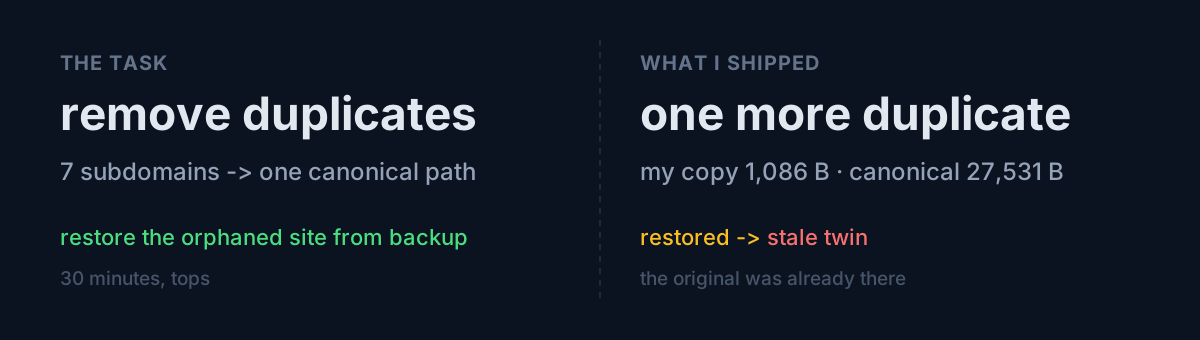
Seven static content sites were scattered across subdomains. Four had already been moved to apex subfolders with 301s left behind; the other three were each doing their own thing. The point of consolidating is to pool search authority on one domain, so I called it a 30-minute job: apply one rule everywhere.
First, the actual state:
herhormones   -> 301  ootssu.com/herhormones/
toolkit       -> 301  ootssu.com/toolkit/
mindshift     -> 301  ootssu.com/mindshift/
longevitylab  -> 301  ootssu.com/longevitylab/
koreahub      -> 200  (served directly on the subdomain)
foodclarity   -> 200  (served directly on the subdomain)
gme           -> 301  ootssu.com/herhormones/     ← ?
That last line stood out. gme is the support-and-legal site for an app. It has nothing to do with a women's health site, and it was redirecting straight into one.
The cause was a shared docroot
On the server, the gme subdomain used the same directory as herhormones for its docroot. That directory held a single redirect rule, and the rule didn't discriminate by host — everything went to /herhormones/.
The fix is easy: split on the host.
RewriteCond %{HTTP_HOST} ^gme\. [NC]
RewriteRule ^(.*)$ https://ootssu.com/gme/$1 [R=301,L]
RewriteRule ^(.*)$ https://ootssu.com/herhormones/$1 [R=301,L]
That needed somewhere to point, so I pulled the app's five support pages out of a backup folder still sitting on the server and restored them to /gme/. Fixed the relative stylesheet reference to an apex-absolute path, deployed, verified. Redirects good, pages good.
This is the point at which I was pleased with myself.
What the review caught
Wrapping up, I skimmed the meta tags on the restored pages. One of them had this:
<link rel="canonical" href="https://ootssu.com/hiddengem/terms.html" />/hiddengem/. Not the /gme/ I had just created.
I checked the server. There it was. The same five pages, already.
                 hiddengem     the gme I made
index.html          27,531 B         1,086 B
privacy.html        79,397 B         2,962 B
support.html        72,257 B         3,162 B
terms.html          69,617 B         4,960 B
The canonical version was already live at a different apex path, far larger and far newer. What I'd pulled from the backup was a previous generation. I had walked in to remove duplicates and deployed a 25-times-smaller stale duplicate.
And precisely the kind I was there to remove — the same content served from two URLs, competing with itself.
Reverting took a minute: delete /gme/, point the redirect at /hiddengem/.
# The canonical already lives at apex /hiddengem/ — send traffic there, don't make copies.
RewriteCond %{HTTP_HOST} ^gme\. [NC]
RewriteRule ^(.*)$ https://ootssu.com/hiddengem/$1 [R=301,L]
What would you do?
Here's my question. Right before restoring something from a backup, do you check whether it's already alive somewhere?
I didn't. I found a backup folder, I found a subdomain pointing at the wrong place, and connecting the two made such a clean story that the story swallowed the verification step whole.
The only reason I caught it is that after finishing I read the meta tags of my own output, line by line. A canonical tag pointing somewhere other than where the file sits means the file used to live elsewhere. The file confessed its origin.
A bonus stumble: the shell doesn't split
While pulling the two remaining sites down locally, I ran this:
for pair in "koreahub website_2f37e00c" "foodclarity website_7273fd9e"; do
  set -- $pair; n=$1; d=$2
  rsync ... :~/public_html/$d/ ./$n/
done
In bash it works. zsh does not word-split variables. $1 got the whole string "koreahub website_2f37e00c" and $2 got nothing. So I created directories with spaces in their names, and with an empty remote path, rsync happily pulled down the entire home directory. Two 70 MB junk directories.
Which then went into a commit. I only noticed when git show --stat reported 1,591 files changed, 220,446 insertions. Deleted them, amended, back down to 55 files and 2,136 lines.
Same shape as the first mistake. The command returned success and I didn't look at what it produced. rsync exited zero. It had successfully done the wrong thing.
Three things to check
- Did you search for the canonical before restoring? A backup existing is not evidence the original is gone. It may have simply moved.
- Do the file's canonical and meta tags match its current location? A mismatch means the file came from somewhere else.
- Did you look at the size of your output? The difference between 1,591 files and 55 is one line of commit stats.
The honest part
The end state is clean. All seven subdomains 301 to the correct apex path, two sites were migrated with their links, canonicals and sitemaps rewritten, and three missing sitemaps got registered in robots.
But inside that 30-minute job I created two problems. One reached production, one reached a commit. Both were caught only in the review afterwards.
Maybe that's why cleanup work is dangerous. The clearer the goal — "remove duplicates" — the harder it is to see the duplicate you just made.
The same day's story about an API returning success while discarding my value is in The API Returned 200 and Threw My Value Away.
You have a backup folder on a server right now. Before you hit restore, check once whether a newer version of it is already live somewhere.