The source lives on one machine and I work from another. They're joined over a tailnet, so I run npm run dev there and open http://<that machine's IP>:3000 here. This has been my setup for months.
I built a new page: a server component passes data down, a client component animates a canvas. I opened it and got a completely blank screen.
Quiet symptoms
I checked things one at a time. Everything looked fine.
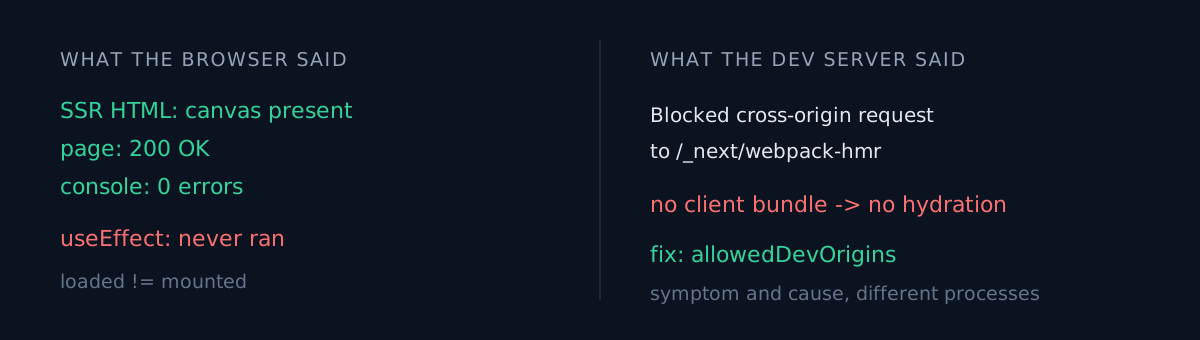
SSR HTML       <canvas width="1080" height="1920" …> present
               both store links present too
console        zero errors. only the usual React DevTools notice
network        page returns 200
server log     GET /t/… 200 in 347ms
The elements are in the DOM. The accessibility tree lists them. There are no errors. And the screen is blank.
Where would you look?
What I suspected
In order:
Is the canvas invisible because it matches the background? The page background is #0B0B14 and so is the canvas default. Plausible — but then why are the store badges missing too? (They're black badges on a dark background, so they genuinely were hiding. Two different causes producing one symptom.)
Is async asset loading never resolving? There's code awaiting a map image. It was returning 503 in half a second. Not it.
Is requestAnimationFrame throttled in a background tab? That one was actually true — but it doesn't explain a canvas that never draws even one frame.
I kept looking at the browser. That's where the symptom was.
Where the evidence actually was
I gave up and read the dev server log. It said this:
⚠ Blocked cross-origin request to Next.js dev resource
  /_next/webpack-hmr from "100.x.y.z".
Cross-origin access to Next.js dev resources is blocked by default for safety.

To allow this host in development, add it to "allowedDevOrigins"…
Next 16's dev server blocks /_next/* requests from other hosts by default. The client bundle never arrives. Hydration is skipped entirely.
Server components render on the server, so the HTML is fine. Client components produce SSR output too. They simply never mount, so useEffect never runs — and all the canvas drawing lived there.
The fix is three lines:
const nextConfig: NextConfig = {
  reactStrictMode: true,
  allowedDevOrigins: ["100.x.y.z", "192.168.x.y"],
};
Why it took so long
This failure has a nasty shape.
There are too many healthy signals. HTML present, 200 returned, React loaded. "React loaded" silently translates into "React mounted" in your head, and that step is wrong.
The error isn't on our side. The dev server does the blocking and never tells the browser why. From the browser's view a few scripts just didn't arrive, and that is not a console error.
Symptom and cause live in different processes. I kept staring at the side where the symptom was. The answer living only in a server log has happened to me before — Search Console buried me in 404 alerts, and the server logs told a different story.
Three things to check
- When you hit "the screen is blank", read the dev server log before the browser console — especially if you're connecting to a dev server on another host.
- Do you have a way to confirm hydration actually happened? One
console.logon the first line of an effect settles it in five seconds. The presence of SSR HTML is not evidence of mounting. - Are you opening the dev server on something other than
localhost? Then you also lose the secure context — in the same setup I watched WebCodecs disappear entirely. Tunnelling tolocalhostfixes both at once.
The honest part
This wasn't a bug in my code, which is exactly why it took so long — I kept hunting for what I had written wrong.
What finally split it open was one console.log on the first line of the effect. Seeing no log at all flipped the question from "what did I write wrong" to "this never runs." Doing that first would have saved half an hour.
Your "it doesn't work but there's no error" — is there really no error, or did another process swallow it?