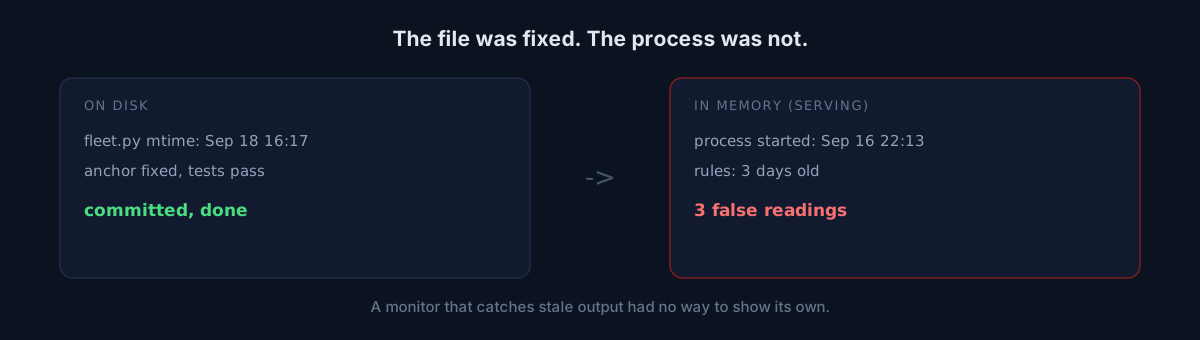
That config you fixed yesterday — have you confirmed the currently running process is using it?
I run a control board that shows the state of 53 bots on one screen. It ignores exit codes: I once had 43 jobs all exiting 0 while one of them had produced nothing for three weeks, so now it only asks what each job last made.
This morning the board said:
unfollow job      STOPPED · 762%   (last output Sep 17, 20:40)
3 jobs off the board: vercel-prune, threads.evening, threads.lunch
aftermath docs    FAILED
All three looked real. "Stopped · 762%" especially — that means two days without a run.
What I found when I actually looked
I opened the unfollow job's log directly.
=== 2026-09-19 09:40:08 end ===
unfollow cooldown active -> skip
It had exited cleanly six minutes earlier. The board was watching an old path the job no longer writes to. But something was off — I had already fixed that anchor yesterday. It was committed.
One check settled it.
$ ps -o lstart -p <board pid>
Wed Sep 16 22:13:23 2026

$ ls -la fleet.py
-rw-r--r--  ... Sep 18 16:17 fleet.py
The process booted on Sep 16 at 22:13. The rules file was fixed on Sep 18 at 16:17. A resident service loads its code into memory at boot and keeps using that. I fixed it, committed it, ran the tests — and never restarted it.
All three red rows had the same cause. Two of the three "off the board" jobs had been registered yesterday (the real gap was one), and the aftermath "failure" was yesterday's verdict rule not being loaded. I spent more time chasing three phantoms than finding the one real incident.
Why this one stings
This tool exists to detect staleness. It's built to catch stale artifacts and stopped jobs. And its own staleness appears nowhere.
- The output (HTML) is redrawn every 120 seconds, so it is fresh.
- The process is alive, so exit codes don't catch it either.
- Nothing on the screen said when the board's rules were loaded.
I knew exit codes lie. I had no defense for the screen lying.
Which would you pick?
I saw two options.
- Procedure — add "restart resident services after editing" to a checklist.
- Code — make the process notice on its own.
Option 1 is the class of fix that has already failed me three times. Rules a human has to remember are the first thing to go when you're busy. So I went with 2: right before handling a request, the process checks its own file's modification time. If it moved, it re-execs itself.
With one guard. It verifies the file compiles before restarting. Catch a half-written save mid-edit and the board falls into a crash loop — you'd lose your monitoring while trying to fix your monitoring. If it doesn't compile, it keeps running the old code and looks again next request.
And one more cell in the footer:
updated 09-19 10:13 · rules loaded 09-19 10:13When those two drift apart, you can see it. Even on a day the auto-restart fails for some other reason, a human can tell.
Three things to check
- When did your resident processes (dashboards, listeners, pollers) boot? Is that after their last edit?
- After changing a config, do you verify the new rule's effect in the live response, or does the commit end it?
- Does your screen show how old the running code is anywhere?
The honest part
This isn't a clever bug. I forgot to restart a server. But the cost was asymmetric: forgetting takes zero seconds, and chasing the three false readings it produced took a good part of my morning. Worse, the board failed toward red rather than green — and red is what makes a person drop everything.
Pick one dashboard or resident service you run and print its start time with ps. If it predates your last deploy, what you're looking at is the world as it was then.