My bots run on a laptop at home. I want to check their dashboards from my phone, and I want zero public exposure. Tailscale is how those two wishes coexist.
The setup
Each bot serves a small local dashboard on its own port. Instead of opening those ports to the internet, I put them on my tailnet with tailscale serve. Now the dashboards are reachable from any device I own, over an encrypted mesh, and from nobody else. No reverse proxy, no port forwarding on the router, no public URL to get scanned.
From my phone, checking a bot is just opening its tailnet address. That's the whole remote-ops story for a one-person setup.
The trap: tearing down a bot doesn't tear down its route
Here's the one that cost me confusion. When I retire a bot I do the obvious cleanup: launchctl bootout the LaunchAgent, delete the plist, delete the project directory. Done, right?
Not quite. The tailscale serve forwarding for that port stays behind. It's separate config, so none of the launchd/filesystem cleanup touches it. The port keeps getting forwarded to a backend that no longer exists.
The symptom is nasty because it looks healthy: the port still shows as LISTEN, so a quick check says "up" — but every connection immediately resets, because there's nothing behind the forward anymore.
# See what's still being forwarded
tailscale serve status --json # look for the port under TCPForward
# Remove just that one (don't use `clear` — that nukes everything)
tailscale serve --tcp=<PORT> off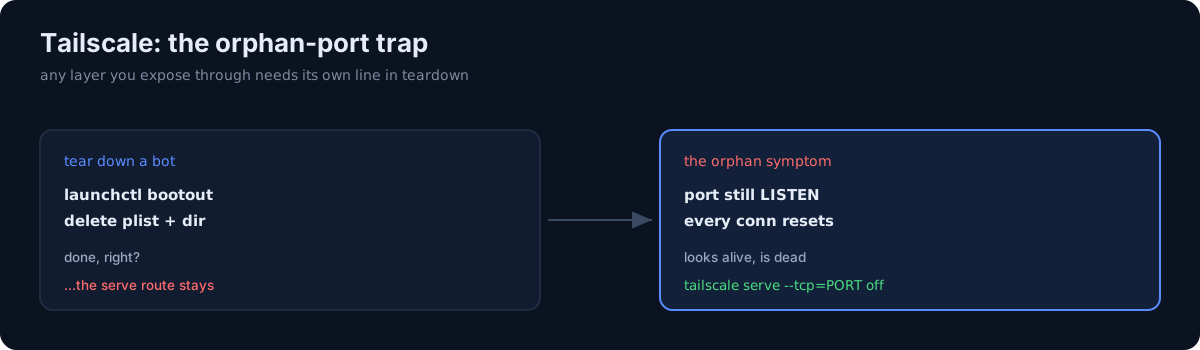 The port still LISTENs even after the backend is gone.
One more: agents don't boot at the login screen
Related failure from the same stack: if the Mac reboots and stops at the macOS login screen, the gui/501 domain doesn't exist, so no LaunchAgents load — every bot and dashboard is down. But if Tailscale's forward is still up, the port answers and then resets, which reads exactly like the orphan-port symptom above. Two different causes, one confusing signature.
The honest part
Tailscale made remote ops trivial, but it added a piece of state that lives outside my normal teardown. The lesson generalizes: any time you expose something through a separate layer — a mesh route, a CDN rule, a firewall entry — that layer needs its own line in your teardown checklist. "I deleted the app" is not the same as "I removed every way to reach the app." I now end every bot retirement by running tailscale serve status and killing the stray forward.