In don't trust auto-selected screenshots I argued for pulling images from a trusted source instead of a local folder. This is the trap when that "trusted source" is a live web page.
The quietly wrong video
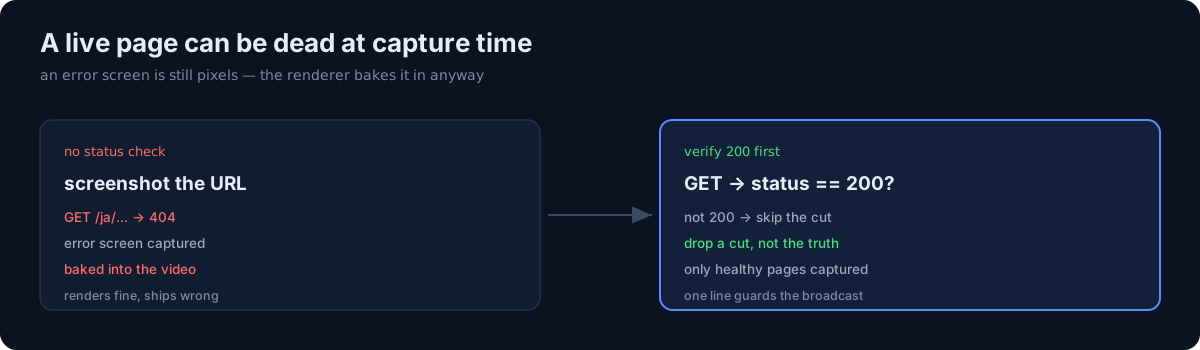
My web-app promo shorts capture the real page (/ja/.../slug) headless and drop it into a phone mockup. But that URL isn't always a 200. A deploy lag, a path typo, a missing locale — and you get a 404 or a 500. The capture script didn't care. An error screen is still pixels, so it screenshotted it and baked it into the video.
One of them (mbti/ja) went up to YouTube with a 404 page baked in. Render succeeded, upload succeeded, only the content was wrong.
The fix: check for 200 before you shoot
Right before capturing, request the URL once and look at the status code. If it isn't 200, skip that cut — better to drop a cut than to put an error screen in the video.
if status != 200:
    print("SKIP capture ... not 200 (avoid capturing an error screen)")
    return None
The already-baked mbti/ja short was re-rendered from clean shots, the public version swapped, and the old one set to private.
The honest part
Same lesson as the screenshot-contamination post, again: automated pipelines fail quietly — no error, it renders, it's just wrong. This time the source wasn't a "clean store" but a "live page," and live means it can die at any time. Any step that takes external state (HTTP, files, responses) as input needs a guard that asks "is this healthy?" One line checking for a 200 is what keeps you from broadcasting the wrong product.