I unified the design system across 26 web apps in a day. Color tokens swapped automatically, then a headless browser measured WCAG contrast on every route. Zero failures.
Then one line came back from a user.
"The fortune-teller app — the text is barely visible. Is that because it hasn't deployed yet?"
It had deployed. And my audit had passed that exact screen.
Does your automated check measure "can this be read" or "does this look right"? I assumed they were the same thing.
Why the audit passed
My rule was simple. If a color's saturation exceeds 0.12, treat it as an accent and push it to body-text luminance (relative luminance 0.13) so contrast is guaranteed.
That rule is correct for text. The problem is that not every color on a screen is text.
- A cream card,
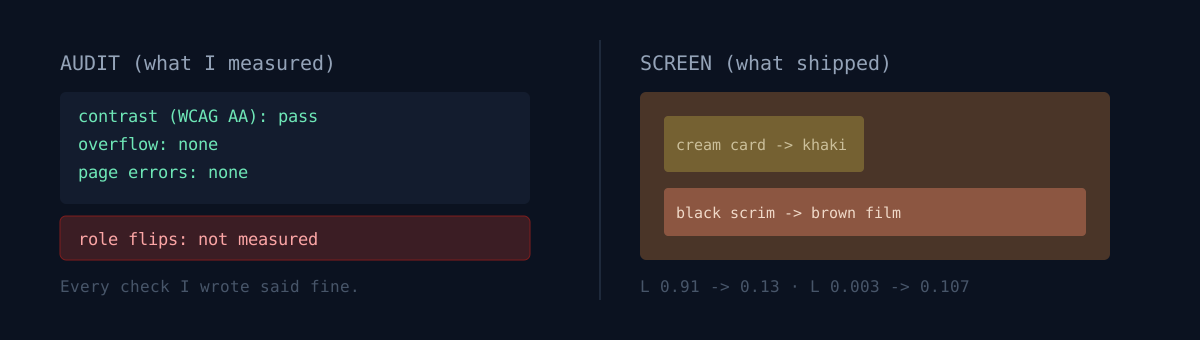
rgba(255,244,218)— relative luminance 0.91. It had saturation, so it was classified as an accent and pushed to 0.13. The card turned khaki. - A black scrim for readability,
rgba(13,8,6,0.78)— luminance 0.003. Also saturated, so it got brightened. A brown film settled over the whole page.
The text colors on top never changed. So text-to-background contrast still cleared the threshold. Black text on a khaki card passes 4.5:1. It passes, and nobody wants to read it.
Contrast is a relationship between two colors. What I broke was not the relationship — it was the role: which color is paper, which is ink, what sits in front and what sits behind. None of that appears in the contrast formula.
I built the detector wrong twice
"Fine, let's measure role inversion." My first detector paired the - and + lines of a diff in order and compared luminance. Result: the worst app scored zero. The line pairing had drifted.
The second looked at whether the extremes of the luminance distribution — bright surfaces and deep shadows — had collapsed. The same app passed again. Newly added tokens shifted the distribution and buried the signal.
The third one caught it. My recolor pass had replaced colors in place, one for one, so if I strip the block I generated, the color sequence in the baseline and the current file line up exactly. Pair them and compare luminance only.
dark scrim brightened: L 0.003 -> 0.107
light surface darkened: L 0.91  -> 0.13
It appeared in 24 of 26 apps. I had seen exactly one with my eyes.
The auditor itself lied three times
While fixing the role detector, three bugs surfaced in the original auditor. All of them manufactured passes.
1. It could not read oklch(). Tailwind v4 emits colors as oklch(). My parser only handled rgb(), and anything it failed to parse fell back to white. That produced a phantom "white text on white background, 90 occurrences." I nearly went and "fixed" 19 apps. The answer was not a better parser but no parser — paint the color onto a 1×1 canvas and read the pixel back. The browser resolves it for you.
2. waitUntil: 'networkidle' never fired on pages with ad scripts. Six healthy pages were recorded as THROW.
3. Playwright's default color scheme is light. Dark mode had never been tested at all. Running it explicitly produced a fresh pile of failures on the hub.
The third one is the frightening one. I was about to report "light and dark, all clear." I had never opened dark.
Here's the fork — what would you do?
24 apps were damaged. Two paths.
A. Make the rule smarter. Keep light surfaces light, dark scrims dark, adjust only the midtones. B. Stop letting an automated tool touch design colors at all.
I tried A first. I wrote a role-preserving third rule, ran it, and watched cream (#fff4da) fade to gray (#eeedeb). This time the saturation cap killed the warmth that was the point of the color.
So I went with B. The palette owns the tokens — paper, ink, accent — and nothing else. App-specific colors, gradients and scrims are off limits to automation. I reverted the two destructive passes across all 26 apps.
Uniformity dropped. Purple moons and pink marks came back. Those I later mapped to the five-element palette by hand — rotating hue only, never luminance. Touch luminance and you cause the same accident again.
A bonus finding
I made the recolor commit with git add -A. Later I discovered that commit had swallowed uncommitted work sitting in the working tree — a new design using a kitchen photo backdrop. I absorbed someone else's work into my commit and then broke its colors.
This is why you run git status before a batch operation.
Three things to check right now
Only the ones you can apply to your own pipeline today.
- Does your color parser handle
oklch()andcolor-mix()? If not, it silently falls back to white, and that is the moment your audit starts lying. Don't parse — ask the renderer. - Has any check actually opened dark mode? Headless tools usually default to light. If you never set the scheme, half your surface has never been tested.
- Do you have a rule that adjusts backgrounds to a text target? Darken a card background to hit a text contrast goal and the text on it lands at 1.49:1. I did exactly that.
The honest part
I caused this, and I found out because a user looked at the screen and told me. I was about to take the passing audit at face value and report "zero defects across every page." I have trusted a green board before.
Now contrast, overflow and page errors get no exceptions. Only palette exceptions are allowed, and each one is written into the auditor as code with its reason: swatches where the color is the content, sister-app marks that show each app in its own color, and third-party brand colors that exist to be recognized. Three, that's it. An exception that lives only in prose means the report is never true.
The last audit had 38 of 43 apps at zero defects, and most of what remained was old builds still propagating. But the number isn't the conclusion.
A passing measurement doesn't mean "it's fine." It means "the part I measured is fine."
If you're running automated checks right now, doubt one passing report. There's probably a path it has never opened. Mine was dark mode. I'd like to hear what yours was.