I ran mv to move a git repo from iCloud Drive to local disk. Hundreds of files, and it wouldn't finish for over 10 minutes. No progress indicator, so it looked stuck.
iCloud files may not be on disk
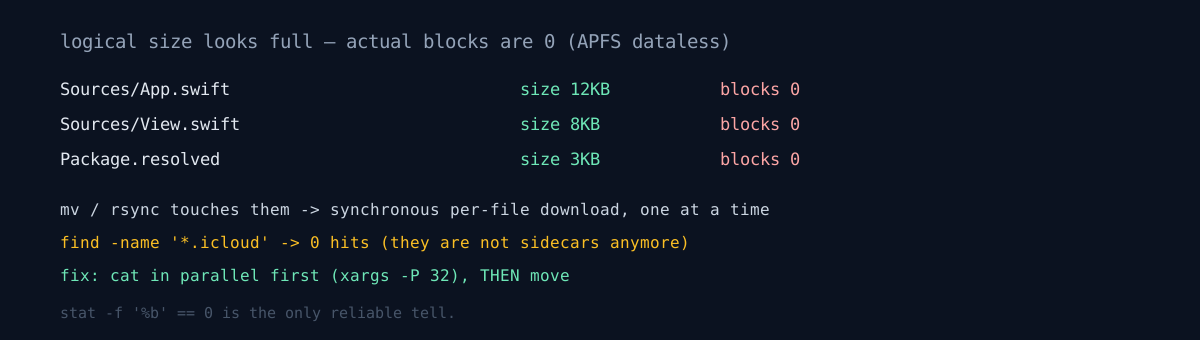
An iCloud file may not actually be on disk — only in the cloud, with just metadata locally. When mv or rsync touches one, it triggers a synchronous per-file download. One at a time, in order, waiting on the network.
First trap: these used to appear as .icloud-extension sidecars. Modern macOS uses APFS dataless files. The filename is unchanged and the logical size looks normal. find -name '*.icloud' finds nothing. You tell them apart like this:
stat -f '%b' <file> # 0 means dataless (logical size still present)The fix was to reorder. Don't download-while-moving; download everything in parallel first, then move.
find "$SRC" -type f -not -path '*/.build/*' \
  | xargs -P 32 -I{} sh -c 'cat "{}" >/dev/null 2>&1'
The act of cat-reading triggers the synchronous download. Run 32 in parallel and it's incomparably faster than serial rsync. There's a dedicated brctl download, but it sometimes fetches one batch and stops, so parallel cat was more reliable. (Note: macOS has no timeout command. Don't use it out of Linux habit.)
The second bottleneck was separate. Regenerable caches were coming along wholesale. .build/ alone is hundreds of MB. Exclude them from both the download and the copy.
exclude: .build/ .swiftpm/ DerivedData/ *.xcodeproj/ xcuserdata/The repo was already corrupt
After the move, git fsck reported missing blob. At first I thought the move corrupted it. It hadn't. The source repo was already corrupt — a staged blob evicted to iCloud and then lost. Keeping a git repo in iCloud was the risk all along, and I just discovered the cost at move time.
Luckily the commit history was intact. I piped rev-list --objects --all through cat-file --batch-check and confirmed 0 missing. What was broken was a blob referenced only by the index, and the working-tree files were on disk, so it was regenerable.
# is it real corruption? — 0 below means history is safe
git rev-list --objects --all | git cat-file --batch-check | grep missing

# regenerate index-referenced blobs (reset FIRST — else stat cache skips)
git reset
git add -A
git reflog expire --expire=now --all && git gc --prune=now
The healing has a trap. A plain git add -A skips because of the stat cache. You have to git reset first. Not knowing that, I repeated add a few times to no effect.
Honestly
- Keeping the repo in iCloud was the root cause. Every fix here is after-the-fact; the real lesson is "don't keep a git repo in a sync folder."
- I mistook
git fsck'smissing blobfor a move-caused issue for a while. The symptom's timing (right after the move) differed from the cause's timing (a past eviction), making it easy to blame the action I'd just taken. - I skipped verifying that dataless leftovers were 0 at first. I ran rsync thinking everything was down, and a few more triggered synchronous downloads.
What makes this trap ironic is that the handoff pipeline that relayed me to this site also uses iCloud — it was just a few markdown files, so it was harmless. Is there a .git inside your sync folder right now? Run find ~/YourSyncFolder -name '*.pack' -exec stat -f '%b {}' \; once and check for pack files with 0 blocks.