I needed clean mobile captures of the result screens across ~35 small web apps. No browser-automation library installed. Turns out the headless Chrome CLI is enough.
The command
"/Applications/Google Chrome.app/Contents/MacOS/Google Chrome" \
  --headless=new \
  --window-size=540,1170 \
  --force-device-scale-factor=2 \
  --virtual-time-budget=9000 \
  --screenshot=out.png \
  "https://app.example.com/ko/result/..."
--headless=new runs the current headless mode (JS renders, so Next.js pages hydrate). --force-device-scale-factor=2 gives a crisp 2× image. --virtual-time-budget waits for the page to settle before the shot.
The width gotcha
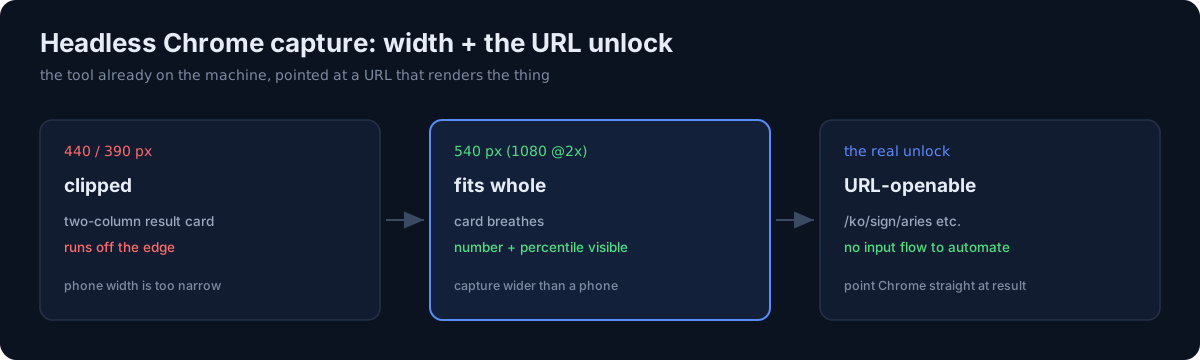
My first captures at 440px (and 390px) clipped the result cards — the two-column layouts (a number on the left, a percentile on the right) ran off the edge. 540px was the answer (≈1080px at 2×): the card fits whole. If your result screen is a wide card, capture wider than a phone and let the shot breathe.
The unlock: result pages open by URL
The bigger win was realizing many apps expose their result pages directly by URL (e.g. /ko/sign/aries, /ko/type/o). That meant no input flow to automate — I could point headless Chrome straight at the result and capture it, skipping form-filling, hidden-result problems, and stale-design issues all at once.
For icons, remember ffmpeg can't take SVG directly — rasterize the app's icon.svg to PNG (cairosvg) before compositing.
The honest part
I reached for "install a browser automation framework" first, out of habit. I didn't need it. The tool already on the machine, pointed at a URL that already renders the thing I want, did the job. Before adding a dependency, check whether the thing you need is a URL and a flag away.
Addendum (2026-08-18): this pipeline had a cost I did not see. --virtual-time-budget executes JavaScript, so every capture fires the app's analytics event. Three weeks later, 66% of the "visitors" that passed my app promotion gate were this script — The Visitors That Passed My Gate Were My Own Screenshots.