Investigating a "no vibration at all" report, I ran into a basic constraint. Haptics are invisible on screen and impossible to feel in an emulator.
So I built a way to judge them from system logs instead of from sensation. Along the way I learned that our haptic calls can be silenced wholesale by a single device setting.
(A separate post from the same investigation covers fixing half of it and getting back a report saying it was fixed. That one is about the fix. This one is about the verdict — a different story.)
How do you prove a vibration actually fired, other than asking the user?
The system writes one line per request
Android logs every vibration request to dumpsys vibrator_manager: what it tried to play, how it ended, and if it was ignored, why.
09-14 20:16:26 | effect | finished | duration: 267ms | usage: TOUCH | <app>
  | played: [Primitive=CLICK(scale=0.75, pause=0ms),Primitive=CLICK(scale=0.75, pause=60ms)]
How to read it:
ignoredpresent means the system discarded it, with the reason alongside. Zero of them means your call path is alive.originaldiffering fromplayedmeans the device lacks fine haptic tuning and the platform fell back to a substitute waveform.cancelled_supersededmeans the next vibration cancelled the previous one — normal under automated rapid input.- The settings block at the top of the dump shows vibration on/off, battery saver, ringer mode and per-usage intensity. You can read device-side suppression without asking the user anything.
Instrumented tests can read this log directly through the shell command API. Sensation is still unmeasurable, but "did the signal I chose reach the hardware unchanged" is now assertable in code.
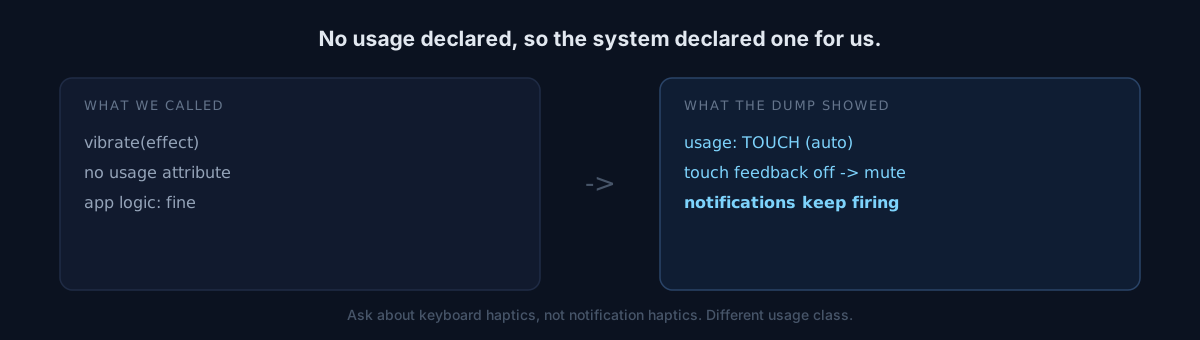
The real trap in that log is usage: TOUCH
If you play a vibration without attaching a usage attribute, the system classifies it as touch feedback automatically.
Then the device's touch feedback setting, or battery saver, can silence your haptics wholesale and independently of notification haptics.
"Other apps vibrate, only yours is silent" is fully explained by that alone: the app logic is fine and one setting on the user's device is the cause.
Which is why the question to ask is not whether notification haptics work, but whether keyboard typing haptics work. Notifications are classified under a different usage and keep firing regardless. Ask the wrong question and the user answers "yes, vibration works" while the cause sits untouched.
Here is where it splits
The investigation also exposed a fundamental weakness in the existing test:
assertEquals(longArrayOf(0, 8, 60, 8), actualPattern)It confirms that what came out is what we specified. It passes. It passes forever.
What do you think that test cannot catch?
If we specified a value below the perceptual threshold by mistake, the test freezes that mistake as the correct answer and passes forever. The structure makes it impossible for the test to question the value itself.
I moved to asserting properties:
- every on-segment must be at least 20ms
- a boundary signal must differ from an ordinary tap
- the goal signal must be stronger than the boundary signal
Assert relationships instead of values and a too-weak value actually turns the test red.
Self-check
- Do you declare a usage when playing haptics, sound or alerts? If not, the system picks one for you.
- Does your test assert the literal values you wrote? That validates nothing about whether the values are right.
- Is the question you ask users a question that splits causes? "Does it vibrate?" and "does your keyboard vibrate?" return different information.
The honest part
There is also a path where the device falls back automatically. Devices without fine-grained haptic support drop to a predefined standard effect.
The weakest grade in that fallback list is effectively imperceptible on one real device. That judgement rests on a user's testimony, not my own hand — they confirmed keyboard typing haptics are felt on the same device, so I stopped using that grade as a primary signal.
Sensation is still unmeasurable. What is measurable is whether the signal made it to the hardware.
Take one vibration your app emits and check what usage it logs as.