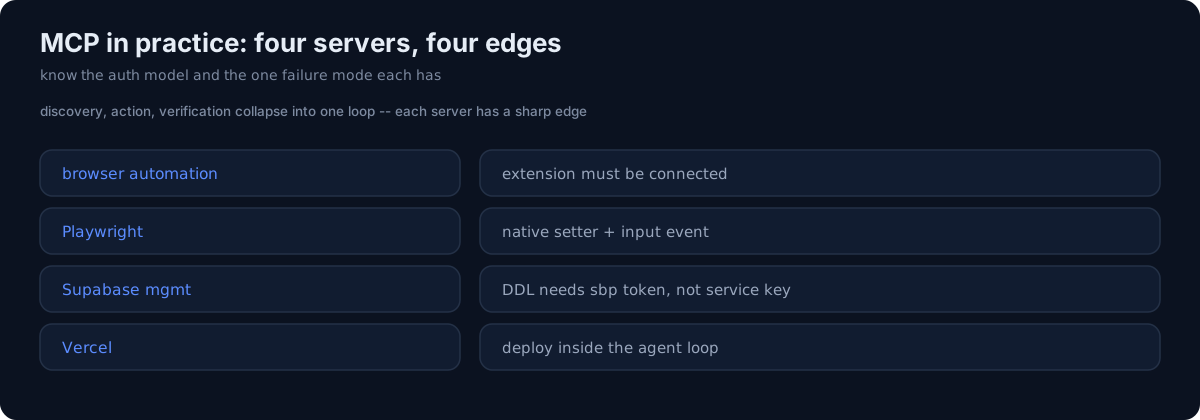
MCP servers let an agent reach real tools — a browser, a database, a deploy platform. Here's what using them in anger actually looked like, gotchas included.
Browser automation
An in-browser MCP drives a real Chrome session — clicking, filling forms, screenshotting. The gotcha that bit me: if the browser extension isn't connected, the automation simply can't run, and the failure isn't always obvious up front. Check the connection before you build a flow that depends on it.
Playwright for result-card capture
When an app hides its result behind an input flow, I use a Playwright MCP to drive the flow — fill the form, submit, land on the result page — and capture the result card. Filling React inputs needs the native setter plus an input event, not just setting .value, or the framework doesn't register the change.
Supabase management
For schema work I use the Supabase Management API through its MCP. The gotcha here is a real wall: DDL can't be run with the service key — you need the management token (an sbp_... token), and that token can vanish from the keychain, so you re-auth when a DDL call suddenly fails with a permission error.
Vercel
A Vercel MCP covers deploy and project operations from inside the agent loop, so "make the change" and "ship it" live in the same session instead of a context switch to a separate terminal.
The honest part
The value of MCP isn't "the agent can do more" in the abstract — it's that discovery, action, and verification collapse into one loop. But each server has a sharp edge: a connection that must be live, an input event the framework needs, a token the service key can't substitute for. Treat MCP tools like any other integration — know the auth model and the one failure mode each has — and they turn an agent from a code generator into something that can actually drive your stack.