A new iOS SDK shipped, and I went looking for what was worth adopting.
New API symbols and signatures are all in the SDK's interface file. I read it, picked five, and wired them into several apps.
All five were reverted. Two days later, the three I had recorded as "confirmed" collapsed as well.
What counts, for you, as proof that an API was adopted?
First mistake: I read the file with no explanations
The interface file (.swiftinterface) contains signatures and availability. It contains zero lines of documentation comments explaining what a function does.
grep -c '///' SwiftUI.swiftinterface # -> 0So it is easy to turn "a new API exists" into "the user's screen changes."
The answer was in a separate file in the same folder (.swiftdoc). It is binary, but extracting strings gives you the text Apple actually wrote.
strings <SwiftDoc file> | grep -A6 '<symbol name>'Reading it invalidated two of the five immediately.
- One UI component's new style is documented as "on iOS it looks identical to the existing style; the only difference is how VoiceOver announces it." I was attaching it where a visual change was expected — the trade was an unchanged screen and a regression in accessibility meaning.
- Another API is documented as a no-op inside a particular container.
Several independent analyses made the same mistake. They had all read the same source.
It would be nicer if it ended there
That would have been a tidy lesson about reading documentation. The other three were recorded as "behaviour confirmed," with quotes.
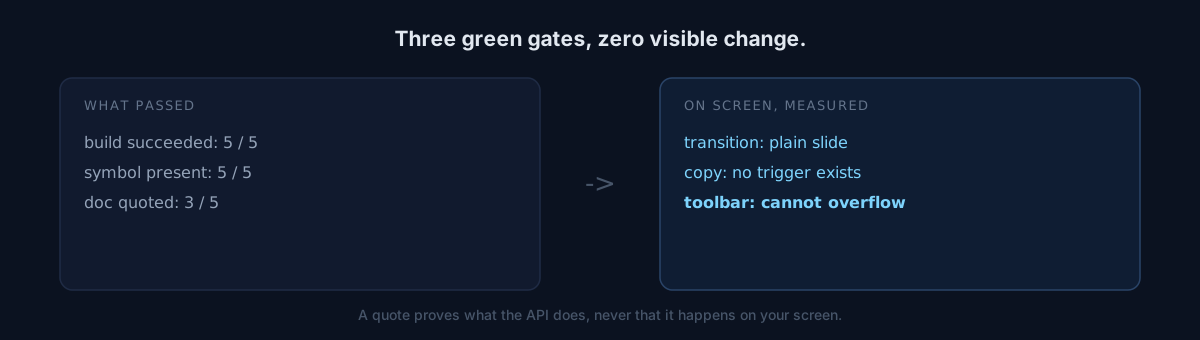
Two days later I reproduced them on screen in a simulator. None of the three produced any user-visible change.
- One transition effect was tried in two different structures; both rendered as a plain horizontal slide. The documented effect apparently does not apply in certain navigation structure combinations.
- One copy feature had no trigger at all on a touch-only screen. Long press produced no menu, and the paste buffer still held the sentinel value I had planted.
- One toolbar priority feature sat in a layout that cannot overflow. That one was readable from the code alone, and I missed it.
Quoting documentation proves what an API does. It proves nothing about whether that happens on my screen.
The same goes for a successful build and for symbol presence. All five passed all three and were still void.
Here is where it splits
Where do you put the bar for "adopted" — it builds, the docs say so, or the screen actually differs?
I moved mine to the last one, and defined how to measure it.
- Transitions and animation: record the simulator screen, extract frames, find the transition by consecutive-frame difference, look at one mid-transition frame.
- Copy and paste: plant a sentinel value in the clipboard, perform the gesture, read the clipboard back.
- Screens behind a login: bypass via the app's own capture entry arguments.
Self-check
- When adopting a new API, are you reading the signatures-only file? The explanations live in a different one.
- When you write "confirmed," is the evidence a quote or a screen?
- Have you checked whether your new API is a no-op inside that container?
The honest part
I made the same mistake twice: first from signatures, then from documentation. Both times it felt evidence-backed.
The second was worse, because the quotes made my own notes look verified. If nobody had reopened them, they would have stayed that way. Diagnosing fourteen apps and being wrong about all of them has the same shape.
Take one item you recently marked "adopted" and write, in one sentence, what changed on screen. If you cannot write it, it is not confirmed yet.